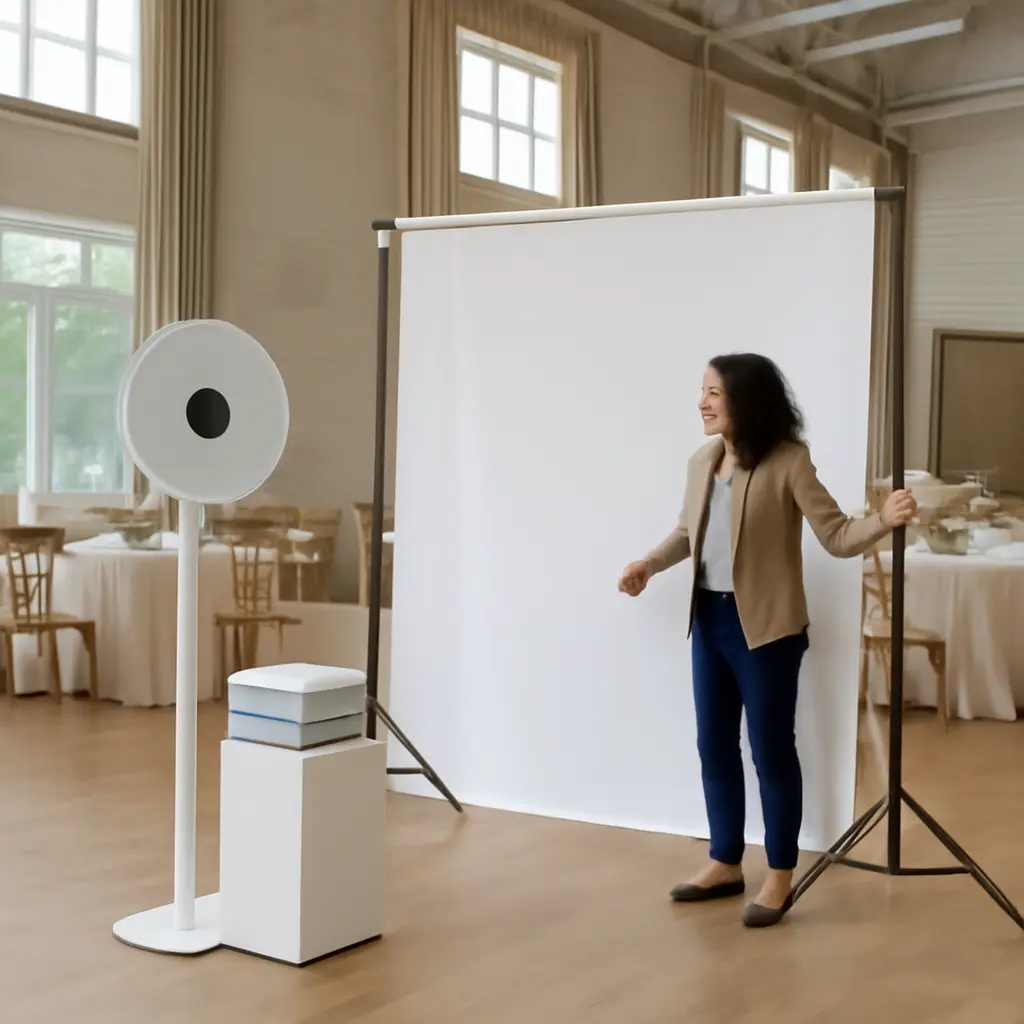
A photo booth rental is a service that supplies an event with a camera-based setup for taking guest portraits, often with instant prints or digital sharing. Before booking one, compare booth types, package inclusions, venue requirements, accessibility, staffing, and total cost—not just the headline price. A good fit can give guests an easy activity and a keepsake, but the right choice depends on your event, space, schedule, and desired results. The guidance below explains booth formats, pricing questions, logistics, privacy, and how to evaluate vendors.
How to choose a photo booth rental for your event
A photo booth rental is a contracted event service in which a vendor provides some combination of a camera, lighting, backdrop, capture software, props, prints, digital delivery, and onsite support. There is no universal package standard: vendors use “photo booth” to describe anything from a simple tablet kiosk to an enclosed, staffed portrait station. Read the service description and contract to establish exactly what will arrive and who will operate it.
The wider event context matters. The U.S. Bureau of Labor Statistics classifies event planning as work that involves coordinating locations, transportation, food, and other event details—an apt reminder that a booth is one part of the event plan, not a standalone purchase. Treat the rental as both an entertainment choice and a small production setup: it needs room, power, a workable guest flow, and a plan for photos and data.
Start with the event’s purpose and audience
Decide whether the booth is mainly for guest entertainment, a printed favor, formal portraits, social sharing, or branded content. A wedding may benefit from a guestbook and print copies; a corporate gathering may prioritize a branded frame and digital delivery. For children, older guests, or attendees with mobility needs, favor simple controls, clear instructions, and an accessible entry or camera position.
Set a realistic booth footprint
Ask the venue about floor space, ceiling height, access routes, power outlets, loading rules, and restrictions on stands or adhesives. Request the vendor’s actual dimensions, including the queue, props table, and any printer station. A compact kiosk may fit where an enclosed booth will not, while an open-air setup can accommodate larger groups but needs enough distance for lighting and framing.
Photo booth rental types and their defining features
Booth type is the first major attribute to compare. The term describes the capture arrangement and guest experience, not a guarantee of image quality. The American Society of Media Photographers’ guidance on photography emphasizes that lighting, equipment, and the photographer’s control affect the finished image; similarly, a booth’s camera, light placement, background, and operator can matter as much as its format.
Enclosed booths
An enclosed booth places guests inside a curtained or walled space for a more private, familiar strip-photo experience. It can be a good fit for small groups and traditional prints, but check its assembled dimensions, accessibility, ventilation, and capacity. Confirm whether the enclosure is a full-size structure or a compact curtain arrangement.
Open-air booths and backdrops
An open-air booth uses a camera and lighting in front of a backdrop or the event setting. It is flexible for larger groups and can be styled to match décor, but guests are visible to the room and the setup may need more floor space. Ask whether the backdrop is included, how it is supported, and whether the vendor can manage uneven lighting or a bright window behind guests.
Tablet and selfie kiosks
A tablet kiosk is a compact, often self-service station that typically captures still images, GIFs, or short clips and offers digital sharing. It may cost less and occupy less space than a staffed camera rig, though image quality and assistance vary. Ask what camera is used, whether a light is included, how guests receive images, and who troubleshoots the device if it disconnects.
Specialty formats: 360-degree, roaming, and green-screen
A 360-degree booth records a short rotating video around a platform; a roaming booth brings a camera or tablet to guests; and a green-screen setup replaces the background digitally. These formats can create distinctive content, but bring additional questions about platform safety, operator control, venue clearance, lighting, processing time, and guest consent. For 360-degree service, confirm the platform’s capacity and any restrictions for children, mobility devices, or loose clothing.
Photo booth rental packages, pricing, and contract terms
A package is the bundle of service hours, equipment, labor, outputs, and optional features included in the quote. Prices vary by location, date, duration, format, staffing, travel, print volume, and customization, so a generic advertised rate is not a reliable estimate for a particular event. Compare written, itemized quotes for the same service period and deliverables.
What a standard package may include
Common inclusions are delivery and setup, an attendant, a backdrop, props, a custom print layout, an online gallery, and a specified rental period. None should be assumed. Verify the start and end times, whether setup happens outside paid booth hours, how many prints guests receive, whether reprints are available, and how long the gallery remains accessible.
Additional fees and quote comparison
Ask whether the quote includes tax, travel, parking, overtime, idle time, custom artwork, premium backdrops, extra prints, or venue-specific fees. The U.S. Federal Trade Commission advises consumers to understand the full cost and terms of a transaction; applying that principle, request a total price in writing rather than relying on a starting price. Compare the same duration and features across vendors, then check what happens if the event runs late.
Contract, cancellation, and contingency terms
A sound agreement identifies the vendor, event date and address, service hours, equipment, deliverables, payment schedule, cancellation and rescheduling rules, and responsibility for damage or interruptions. Ask what happens if equipment fails, the attendant is unavailable, or severe weather affects an outdoor setup. Establish whether the vendor carries insurance and whether the venue requires a certificate of insurance.
Photo booth logistics, guest experience, and accessibility
Even a well-equipped booth can underperform if guests cannot find it, use it comfortably, or get through the line. Event flow is the bridge between the rental’s technical setup and its value to attendees. Coordinate the booth location and operating window with the venue, planner, and vendor before event day.
Timing, queues, and staffing
Schedule the booth when guests are present and not occupied by key moments such as speeches, meals, or performances. Ask the vendor how many sessions per hour the setup can typically handle, while recognizing that group size and guest behavior affect throughput. An attendant can guide poses, manage props, reload paper, and help prevent a queue from blocking entrances or service areas.
Accessibility and inclusive design
Accessibility means more than whether a wheelchair can reach the booth. Check the route, turning space, camera height, screen reach, seating options, captioning or audio instructions, and whether guests can participate without standing or bending. The U.S. Department of Justice’s ADA guidance explains that accessible design involves usable routes and facilities; coordinate specific needs with the venue and vendor rather than assuming a standard setup will work for everyone.
Prints, digital delivery, and design proofing
Prints offer an immediate keepsake, while digital files are easier to share and archive. Confirm print size, layout, paper type, color treatment, and whether a copy is saved for the host. For branded or themed frames, approve a proof before the event and check spelling, date, logo placement, and safe margins. Ask for the gallery delivery timeline and available file formats.
Photo privacy, image rights, and data handling
Photo privacy is a core rental consideration because the service may collect identifiable images and contact details. The U.S. Federal Trade Commission’s consumer privacy guidance recommends understanding what information a business collects, how it is used, and whether it is shared. Before booking, ask the vendor to explain its image storage, gallery access, retention period, deletion process, and any use of event photos in advertising.
Guest notice and consent
Tell guests whether photos may be displayed, emailed, texted, or posted publicly. If the booth uses a sign-in screen or collects email addresses, clarify whether providing contact information is optional and what messages follow. For events involving children, establish an appropriate consent process with the host and vendor, and avoid assuming that attendance alone grants permission for promotional use.
Ownership, licensing, and gallery security
Ownership and usage rights depend on the contract and applicable law. Ask who owns the images, what rights the host and guests receive, and whether the vendor can use images in its portfolio. For online galleries, check whether access is private or public, whether a password is available, and how long files remain online. Get important rights and deletion promises in writing.
How to vet a photo booth vendor
Vendor vetting tests whether the promised experience is supported by reliable equipment, clear communication, and evidence of completed work. Reviews can help identify patterns, but they do not replace a contract or a conversation about your specific venue and needs.
Review portfolios and recent feedback
Look for full galleries or event examples that show lighting, skin tones, print clarity, group framing, and consistency—not only polished promotional images. Read recent reviews for recurring comments about punctuality, setup, image delivery, and issue resolution. Ask for references or examples from an event similar in size and format to yours.
Ask practical questions before paying
- What camera, lighting, printer, and backup equipment will be used?
- Will an attendant remain onsite for the full service period?
- What are the setup dimensions, power needs, and venue requirements?
- What happens if the printer, internet connection, or capture system fails?
- When and how will the host receive the gallery and original files?
- What are the cancellation, rescheduling, overtime, and refund terms?
- How are guest images stored, shared, and deleted?
Use a simple booking checklist
- Choose the booth format based on the event goal, audience, and available space.
- Collect itemized quotes with matching hours, prints, staffing, and digital deliverables.
- Confirm the venue’s access, power, insurance, and installation requirements.
- Review the contract, privacy practices, cancellation rules, and equipment contingency.
- Approve the layout or branding proof and confirm the event-day contact and schedule.
Conclusion: rent a booth that fits the event, not just the budget
A successful photo booth rental starts with choosing the right format, then checking package details, full costs, venue logistics, accessibility, and image handling. Enclosed, open-air, tablet, and specialty booths each suit different settings; no single option is best for every event. Compare written quotes, verify the vendor’s work, and put operational and privacy expectations in the contract. Before booking, discuss the setup with your venue and ask the vendor to confirm every inclusion and contingency in writing.
Sources: U.S. Bureau of Labor Statistics, Meeting, Convention, and Event Planners, https://www.bls.gov/ooh/business-and-financial/meeting-convention-and-event-planners.htm; American Society of Media Photographers, ASMP Business Resources, https://www.asmp.org/resources/; U.S. Federal Trade Commission, Shopping and Consumer Advice, https://consumer.ftc.gov/; U.S. Department of Justice, Introduction to the Americans with Disabilities Act, https://www.ada.gov/topics/intro-to-ada/; U.S. Federal Trade Commission, Protecting Personal Information: A Guide for Business, https://www.ftc.gov/business-guidance/resources/protecting-personal-information-guide-business.